Tuesday, December 10, 2013

Camera Size: Compare the size of digital cameras

Thinking of buying a digital camera for your next vacation? Here is a online service that will help you easily view the different sizes of cameras. While many tools exist to compare technical characteristics, Camera Size lets you know the size of each camera.
camera size comparison openhow

Camera Size is a user-friendly web application that displays the exact dimensions of digital cameras to better compare. Operation is easy, just choose the two cameras that you want to compare from the drop-down list, and you’ll get the photo and the size of each camera.
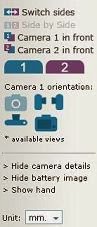
sidebar camera size openhow

The menu on the left sidebar allows you to choose the orientation of the camera (on supported models). You can rotate the camera left, right, top, front or back.

At the right side you can see an image of a regular AA Battery, which gives you an option to visualize the size of the camera. If that’s not enough, you can initialize a helper image of an average human male hand by clicking on the “Show hand”. You can drag this image around and position it under each camera and better visualize the size of the camera.

camera size comparison tool.

Share:

Monday, December 9, 2013

How to Test your vision online

Are you working daily on your computer and you want to test your eyesight?
ThinkQuest is an online tool to test your vision at home for free. This allows you to test your eyesight through a succession of letters becoming small. A bit like a doctor!
test vision Eyesight test online

To take this test the application will ask you to choose the size of your monitor (you must have either a 15″, 17″, or 19″ monitor), and your screen resolution, to measure out the correct length that you should sit back at (the length will vary depending on your screen size and resolution).
Now read the row of letters on the screen and press “next” to display more rows in decreasing sizes. When you can no longer read more than half the words on a line, press “stop” and you will get the result.
Of course this self eye test is no substitute for visiting your doctor but if you follow the steps well, you may get some idea about how good (or bad) your vision is.

Test your eyesight online with ThinkQuest.

Share:

Friday, December 6, 2013

ZenMate: Chrome extension for Free VPN with easy location switching

In a previous post we've learned What is a VPN and How does it work ? VPN is a network technology that creates a secure network connection over a public network such as the Internet.

ZenMate is a free extension for Google Chrome that will allow you to get a free VPN. A service that lets you connect anonymously and access sites that are blocked or censored in your country! Unlike other Chrome extensions – which are usually regular proxies without encryption - ZenMate will encrypt your browser traffic and build a secure tunnel around the data you send or receive. Your IP is hidden, your Internet unrestricted and your privacy protected.

ZenMate change ip location openhow


How to use ZenMate and Change your IP:

Once you have installed this extension, a shield icon appears on the top right of your browser and you will be redirected to a new page that will ask you to enter you email to activate ZenMate. Then you will have a message saying that they “have sent you an eMail with your account credentials but you’re already signed in and can surf the web protected right away!”.

To access settings just click on the shield icon on the top right of your browser, to turn ON/OFF the service, (ON: the color of the shield turns green), you can even choose your location by clicking on “Change location”. ZenMate secure your connection and lets you access restricted content that only works in some countries such as Hulu.com or Pandora.com which only works in the USA, by changing the IP address location.

Download ZenMate for Google Chrome for free.


Note! The VPN is NOT a way to increase its anonymity for prohibited practices. A VPN does not make you completely anonymous and invisible !. It’s a way to protect your Internet privacy. 
Also Check:
FREE Serial Number for Steganos VPN
What is a VPN and How Does it Work
Get Nord VPN Premium for FREE
Share:

Wednesday, December 4, 2013

How to disconnect from Facebook Messenger on Android

On Android phones, many people already want to be connected to Facebook! Whether out of curiosity or because you are addicted to the famous social network. But the official Facebook application (Facebook for Android on the Market) may have a simple problem for some users : how to disconnect ?If you experience this problem, here is how to disconnect from Facebook Messenger, just follow those simple steps:
  • Close “Facebook Messenger”.
  • Go to “Settings” from the phone menu.
  • Click on “Apps” and find “Messenger”, then click on it to show “app info”.
  • Now click on “Clear data”. This will remove all saved settings and password for this application.
That’s it, now you’re disconnected from Facebook, and Yes, it’s that simple!


How to disconnect from Facebook Messenger on Android-openhow


Note! I've tried this on different phones and in some cases, this solution may delete the Messenger shortcut from your menu, the shortcut and not the application, if you have this problem, all you have to do is to visit Messenger on Google Play from your phone (you’ll be able to run the application from there, just click “open”), Uninstall the application then re-install it.
Share:

Tuesday, December 3, 2013

100,000 Stars: Explore the Milky Way with Chrome Experiments

Explore the Milky Way with Chrome Experiments
For Google… Earth is no longer sufficient, so the Chrome Experiments team rolled out 100,000 stars a Chrome Experiment that helps you visualize the exact location of 100,000 stars. On this experiment you will have the opportunity to travel across the Milky Way and our solar system !

Now that almost all of our planet has been explored by Google teams, the conquest of space can begin. 100,000 stars is the new project from the Chrome Experiments that will allow you to visit our vast Milky Way. By zooming to the center of the galaxy, you will see a spatial map with names of all its stars. If you click on one of them, a short description from Wikipedia will be displayed. A very interesting description, you will learn more about the origins of the star and its history.

Do you like this Experiment? Here you can get more Chrome Experiments.
Share:

Monday, December 2, 2013

Amazon Prime Air: Drones to deliver orders from Amazon

Amazon has just announced its Prime Air project: a drone delivery to reach the customer in less than 30 minutes.
The announcement was made ​​last night on the CBS TV channel by Jeff Bezos, the founder and CEO of Amazon. The goal of this new delivery system is to get packages into customers’ hands in 30 minutes or less using Unmanned Aerial Vehicles (Drones).

These mini-drones with electric motors, have arange of 10 miles (16 km), around warehouses, which gives access to a large part of the urban population. The company says that everything is ready, but that the agreement and the establishment of rules by the FAA (Federal Aviation Administration) is still needed.

Amazon Prime Air project:

Source: Amazon.
Share:

Sunday, December 1, 2013

How to Read your emails offline with Gmail

How to Read your emails offline with Gmail
Reading messages and emails anywhere is the main advantage of a webmail. However an Internet connection is always required… Today we will show you a new trick that will allow you to read and write emails even offline.
Now with Gmail Offline App, it is possible to retrieve your emails, remove those that do not interest you, perform searches, classify, and even answer your emails and write new ones.


How does “Gmail Offline” work?

Gmail Offline is a free Chrome extension that will allow you to view and send emails without internet connection. After first start-up, Gmail Offline will automatically synchronize messages and queued actions anytime Chrome is running and an Internet connection is available. You can then check your inbox at any time. To write an e-mail, the process is the same, just write your message offline and it will be sent automatically when you’re connected.
To use this feature, simply install the free Chrome extension on your browser and configure your Gmail account to allow offline access to your mail.
Note! Do not forget to check “Allow offline mail” during the installation process.
Share:

Labels

100000 Stars (1) 2013 (1) 360° panorama (1) 80's games (1) Air traffic (1) Airplane (1) Airplane tracker (1) Airplane traffic (1) Amazon (1) Amazon delivery (1) analyze files online (1) Analyze online (1) Analyze URL (1) Android (14) Android applications (6) Android applications on PC (1) Android codes (1) Android emulator (1) Android secret (1) Animation (1) Antivirus (1) app (11) App store (2) Apple (1) April fool's (2) ASCII Art (1) Atomes (1) audio converter (2) Augmented Reality (1) Avatar (2) Avoid spam (1) Bandwidth (1) Bank (1) Battery (1) beautiful folder (1) Best IPTV (1) Best of (1) BlackBerry (1) Block (7) Blog (1) BlookUp (1) Blue Screen (1) BlueStacks (1) BlueStacks emulator (1) Book (2) Breaking Captcha (1) bug (2) Bypass (2) Bypass Captcha (1) Bypass Captcha verification (1) Bypass SMS verification (3) Call verification (1) Camera (1) Camera Size (1) Camera Trace (1) Canon (1) Captcha code (1) Cartoon (1) Cartoonify (1) Cast (1) Change color folder (1) Change font (1) Change IP (4) change website font (1) Charge (1) Check email offline (1) Christopher Sholes (1) Chrome (2) Chrome Experiments (2) Chrome extension (4) Chromebook (1) Chromebook Pixel (1) Cloud Computing (2) Community (1) Compare tool (2) Computer (50) Computer theft (1) Convert (2) Convert files online (1) Convert image to ascii (1) Convert online (2) Corona (2) Coronavirus (2) COVID-19 (2) Create game (1) Credit Card (3) Credit Card Generator (1) Crypt (1) Delete (2) desktop shortcut (1) Detonate nuclear bomb (1) Digital Camera (2) Diposable (1) Direct download (1) Direct download torrent (1) directory (1) dirlock (1) Disconnect Facebook Messenger on Android (1) Disconnect from Facebook (1) Documents (1) Download (3) Draw on desktop (1) Draw on screen (1) Draw on windows (1) Draw on your windows desktop (1) Drones (1) Duplicate folders in same place (1) EA Sports (1) Ebook (2) Electronic video games (1) email (4) Email management (1) Emulator (1) Excel (1) Extension (2) Eye test (1) Eyesight (1) Facebook (13) Facebook chat (1) Facebook infographic (1) Facebook Messenger (1) Facebook Photo Zoom (1) FIFA (2) File (3) file converter (1) File without name (1) Find (1) Find Camera (1) Find computer (1) Firefox (1) Firefox extension (1) fix (3) Flash drive (1) FlightRadar24 (1) Folder with no name (1) Folder without name (1) Folders (2) Folders different color (1) Folders with same name (1) font (1) Fonts (1) Format (1) Free Call (3) Free International Calls (1) FREE SMS (1) FREE SMS Online (1) FREE SMS worldwide (1) Free VCC (2) Galaxy (1) Galaxy Grand 2 (1) Gameglobe (1) Gameplay (1) Games (6) Games online (1) Gmail (1) Golden Touch (1) Google (7) Google Glass (1) Google Helpouts (1) Google Hyperlapse (1) Google Nose (1) Google photos (1) Google Play (3) Google Plus (1) Google Street View (1) GPS (1) GTA (1) Hack (6) Handimation (1) Help over live video (1) Helpouts (1) Hide (3) Hotspot (1) How to (100) How to. (2) Hyperlapse (1) iCloud (1) Image (1) image converter (1) image to ascii (1) Infograghic (1) Inside submarine (1) Instagram (2) Intel (1) International air traffic in real time (1) Internet (95) Internet Connection (1) iOS (8) iOS applications (2) iphone (6) IPTV (1) Journey through Middle-earth (1) Keyboard (3) keyboard layout (1) Landscapes (1) Laptop (1) Life-size (1) Listen music (1) Listen to websites (1) Live (2) Live flight tracker (1) Lock (4) Lock file (2) Lock folder (1) Lock USB (1) Lock your file with a Password (1) Lord of the Rings (1) Lost Camera (1) Mac (5) MAC Address (1) MAC-OS emulator (1) Magnifying the Universe (1) Make game (1) map (3) Mars (1) Martian panorama (1) Martian sol (1) Media (1) message (2) Messi (1) Middle Earth (1) Milky Way (1) Most viewed (1) Most viewed videos (1) Most viewed Youtube (1) Mouse over (1) Movies (2) MS-DOS emulator (1) Museum of me (1) Music (1) nameless folder (1) Namie Amuro (1) NASA (2) Netflix (3) Network (3) Nokia (1) Nokia Lumia 525 (1) Nose (1) Nuclear (1) Nuclear weapons effects simulator (1) Nuke (1) Nuke simulator (1) Ocelot (1) Office Lens (1) Offline (1) Old OS (1) Online music (1) Operating System (1) optical illusion (1) P’9982 (1) Paint (2) Panorama (1) Password (7) Paypal (3) Paypal auto Payment (1) Paypal Payment Subscription (1) PC (1) PC to Mobile (1) Personal assistance (1) Phablet (1) Photo Zoom (1) photos (6) Photoshop (1) PIN (1) Porsche (1) Prime Air (1) Privacy (3) Private network (2) Proxy (2) QWERTY (1) Radar (1) Real-size (1) Real-time (3) Real-time air traffic (1) Rebtel (1) Receive SMS online (1) Recover (1) Remington (1) Rocknest (1) Rooter (1) Run Android apps on PC (1) Run Android apps on Windows (1) Safari (1) Safari extension (1) Samsung (2) Satellite (2) Scan (2) Scan files online (1) Scan online (1) Scan URL (1) Scan Virus (1) scheduled shutdown (1) Screen of Death (1) Scribd (1) Secret codes (1) Secret Menus (1) Secure file (1) Secure folder (1) Security (22) Seen block (2) Seen Facebook (1) Self-destruct (1) SelfishNet (1) Send FREE SMS (1) Sexy (1) Share (2) shortcut (2) Sight test (1) Simulator (3) Skype (2) Smartphone (11) SMS (2) SMS verification (2) Snap (2) Snapchat (1) Social network (8) Software (2) Soundgecko (1) Space (2) Spam (3) speed connection without software (1) Speed up connection (2) Speed up Windows connection (1) SpotAuditor (1) Spying (1) Starlink (1) Status Search (1) Steganos (1) Stolen Camera (1) Stop Motion (1) Stop spam (2) Stream (4) Street View (1) Submarine interior (1) Submarine with Google Street View (1) Surf anonymous (2) Talk Free (1) Tech (27) Temporary email (1) text to ascii (1) text to audio (1) text to mp3 (1) text to sound (1) text to speech (1) Time-lapse (2) Timelapse (2) toolkit (1) Tools (2) torrent (2) Torrent from URL (1) Torrent to direct (1) Track (4) Track computer (1) Track missing computer (1) Translate (1) Turn your blog into a book (1) Tutorials (9) two folders same name (1) Type Faster (1) Typewonder (1) Typing (1) UAV (1) Unblock (4) Unfriend Finder (1) Unfriend me (1) Universe (1) Unlock (2) unsubscribe (1) update Facebook Status (1) Update Facebook status using iphone (1) Updates (1) URL to Torrent (1) USB (2) useless (1) useless web (1) Verified (1) Verify Paypal (1) Viber (1) Video (6) video converter (2) Virtual (3) Virtual computer (2) Virtual Credit Card (2) Virtual desktop (2) Virtual museum (1) Virtual radar (1) Virtual Reality (1) Virus (4) Vision test (1) VLC (1) VPN (5) WAYme (1) We're watching you (1) Weapon (1) website (1) website fonts (1) website shortcut (1) WhatsApp (2) Wifi (1) Wikipedia (1) Windows (15) Windows folder (1) word to ascii (1) word to pdf online (1) Xlsx (1) Youtube (4) Youtube close (1) Zoom (1)